Get started
Install Board Export+ in Trello
- Open the official Trello Marketplace listing and add Board Export+ to a board you can access.
- Open Board Export+ from the board, list, or card and complete the connection steps. Review requested permissions before authorizing.
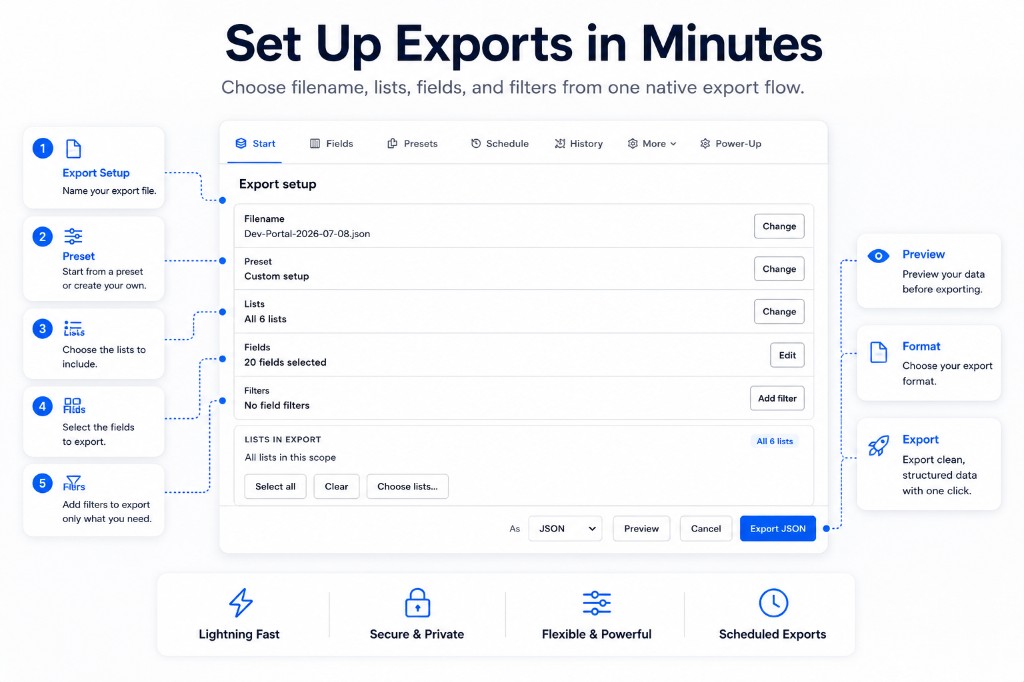
- Choose the lists and fields to include, select a format, and review Preview.
- Select Export. Download the completed file, or check History for larger background jobs.
Try Pro for 14 days without a card. Trial expiry does not charge you. The Free plan then allows up to 5 successful exports total in CSV or JSON per Trello account. Compare current plans.
Read the visual interface guide or choose a format tutorial.